
How to use
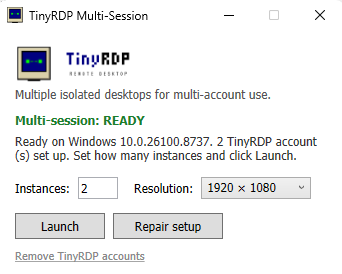
- Right-click TinyRDP → Run as administrator.
- If it isn't already READY, click Repair setup (installs/updates the multi-session component).
- Pick how many instances and a resolution, then click Launch.
Frequently asked questions
- What does TinyRDP actually do?
- It gives each account its own Remote Desktop session on your PC, so every account runs on a fully separate desktop that keeps rendering even in the background. It automates the annoying parts around RDPWrap, the community multi-session enabler.
- Will a Windows Update break it?
- It can. RDPWrap depends on your exact Windows build. When that happens, just click Repair setup.
- How many can I run?
- Each session is a full desktop plus whatever you run inside it, so 2–5 on an average PC.